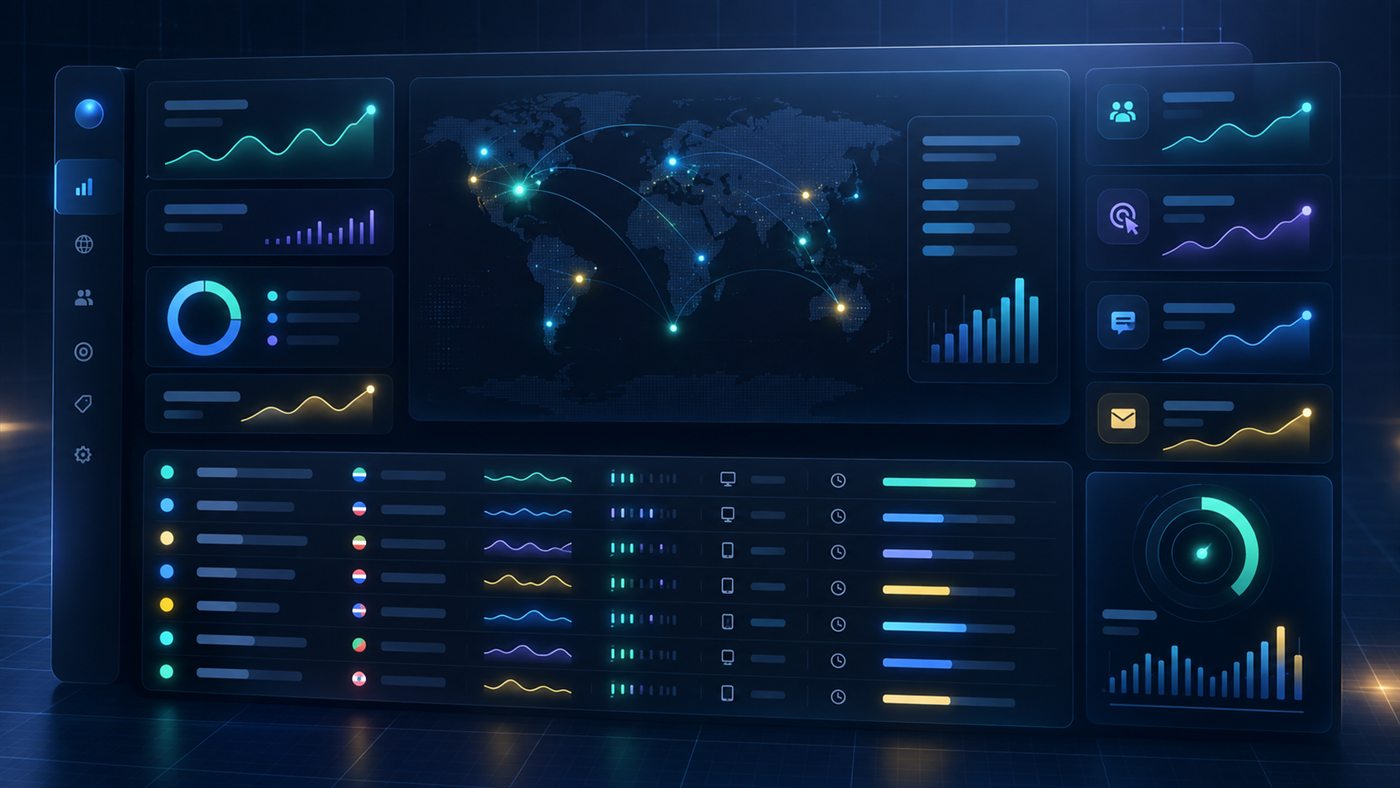
Domain portfolio analytics.
Know what comes next.
Turn domain traffic into a clearer picture of buyer intent. Track attention, understand conversions and keep every enquiry moving in one private workspace.
Built for domain investors
THE BIGGER PICTURE
A domain portfolio can generate visits, form starts, CTA clicks and buyer messages across many landers. When those signals live in separate reports and inboxes, it is difficult to tell which name is warming up or whether a serious enquiry has been answered.
Domain Lander brings the journey together. Review a visit, see how the buyer engaged, understand the action they took and carry that context into the lead pipeline.
03 / TWO CLEAR SCOPES
Keep two distinct views of demand. Domain Lander tracks your portfolio landing pages, while Website Pages measures your public site. Evaluate each against its own goals.
Review visits, engagement, CTA performance, enquiries and missed conversion opportunities by domain. Open a specific name to trace its traffic sources, buyer sessions, offers and follow-up history.
Measure page visits, unique visitors, CTA actions and website leads without adding those numbers to lander performance. Identify the pages and sources that introduce buyers to the wider business.
04 / CAPABILITIES
Start with the portfolio overview, investigate the signals that matter and carry that context into every buyer conversation. Each view answers a specific question.
Compare visits, unique visitors, CTA clicks and enquiry leads. See period changes, a demand trend and the buyer funnel from engagement to won opportunities.
Best for a daily portfolio check.See sessions active in the last five minutes, recent events and new lead alerts. Review a session's engagement, scroll depth, source, location and actions.
Best for attention that needs a timely response.Find sessions with CTA activity, at least 60 seconds of engagement or deep page scroll. Flag names with repeat visits but no CTA action.
Best for deciding where to improve or follow up.Compare session duration, active time, engagement, bounce rate and scroll depth by domain, source, country, device and campaign.
Best for understanding the quality of demand.See which button a buyer clicked, where it appeared, its destination and the portfolio item behind the action. Compare clicks and unique visitors.
Best for improving a lander's next step.Review buyer details, offer, source and quality in one inbox. Work leads through new, contacted, qualified, negotiating and won stages.
Best for keeping conversations moving.Separate failed or abandoned offer attempts from completed enquiries. See the fields supplied and where a buyer stopped without counting the attempt as a lead.
Best for diagnosing lost enquiry opportunities.Open a domain to review sources, countries, CTA actions, enquiries and recent buyer-attention sessions together.
Best for a focused decision on one asset.05 / ACTIONABLE ANALYTICS
Live activity turns isolated events into a readable session. Source and device context explain how a visitor arrived. Engagement time, scroll depth and CTA actions show whether the visit became meaningful.
06 / THE OPERATING WORKFLOW
The dashboard is designed around the work an investor or operator performs after traffic arrives, not only the chart that recorded the visit.
Compare portfolio visits, trend changes, acquisition sources and country patterns.
Review active time, repeat behaviour, scroll depth and CTA activity to identify stronger signals.
Drill into a domain or lead to see the path that preceded an offer or enquiry.
Record status, owner, notes and replies so follow-up does not disappear into an inbox.
Illustrative workflow. All portfolio and buyer identities are hidden.
Connect the original enquiry with quality signals, earlier sessions and conversation history. Reply with the right context and give the next operator a clear account of what happened.
07 / RESPONSIBLE OPERATIONS
Keep portfolio analytics behind authenticated access, with masked information in routine views and separate website reporting. Additional role scopes are planned as teams grow.
Keep buyer and portfolio information inside an authenticated operator view.
Show when data is fresh, incomplete or idle so a dashboard number is not taken on faith.
The roadmap separates owner, sales, analyst and support responsibilities as the team grows.
Support scoped CSV reports and a validated backup workflow for operational continuity.
08 / QUESTIONS
Domain Lander is shaped around portfolio size and the workflows you need. The pricing request gives us that starting point.
Domain Lander is a private analytics and operations dashboard for domain portfolios. It connects landing page traffic, buyer engagement, CTA actions, enquiries and lead follow-up.
It is designed for investors managing multiple domains, but the starting scope can be sized to your portfolio. Include your current domain count in the pricing request.
A public website page and a domain-for-sale landing page have different goals. Their visits, CTA clicks and leads stay in separate views so portfolio demand is not inflated by website activity.
High-intent signals include CTA actions, at least 60 seconds of active engagement or at least 75 percent page scroll. These are prioritization signals, not proof that a visitor will buy.
Live views cover active sessions, recent events and lead alerts. A session can show its source, device, location, engagement, scroll depth and CTA activity.
Yes. The CTA performance view is designed to show the exact button label, its page or domain, location, destination, click count and recent activity.
The lead pipeline supports search, quality and status filters, ownership, notes and reply history. A lead detail view keeps the original enquiry beside its prior journey and follow-up activity.
Failed or abandoned attempts have a separate view. Operators can review available context without treating a partial form as a completed enquiry.
Reports include date ranges, source and country filters, search, sortable tables and scoped CSV exports for portfolio, traffic, CTA, opportunities, leads and incomplete attempts.
The dashboard uses authenticated access and masked IP addresses in ordinary views. Discuss your access, retention and backup requirements when requesting pricing. Expanded role scopes are on the roadmap.
Pricing is discussed around portfolio size, deployment scope and the operating views you need. Tell us how many domains you currently own and what problem you want the dashboard to solve first.
READY TO SEE THE FULL PICTURE?
Tell us how many domains you manage. We will discuss the right starting scope for analytics, buyer intent and lead operations.
DOMAIN LANDER / PRICING REQUEST
We will use these details to discuss a practical starting scope.